Upload VIROO Applications to VIROO Cloud
Once you have built a VIROO Application, you will get a Unity application in virooapp format, for more information you can check Build your VIROO Application page.
Note
Unity executable must be in virooapp format to be uploaded to the VIROO Cloud.
It's possible to upload applications built with previous VIROO versions that are still supported in compressed zip format.
Upload from VIROO Studio
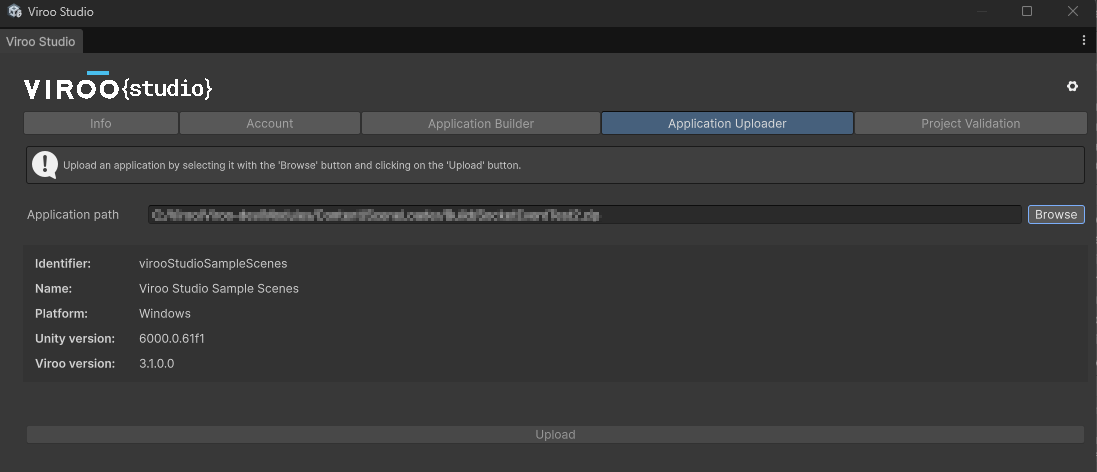
You can open the Application Uploader window going to Window -> Viroo -> Dashboard and then navigating to the Application Uploader tab.
Press the Browse button to select a zip file containing a built VIROO Application to upload. If the selected file contains a valid VIROO Application its information will be shown. If not, an error message will be shown.
If you are logged in the Account tab and you have the proper role assigned in the VIROO platform, you can click the Upload button. This will trigger the application upload process.
Upload manually
To upload the application manually to VIROO Cloud, check Application management.