User profile
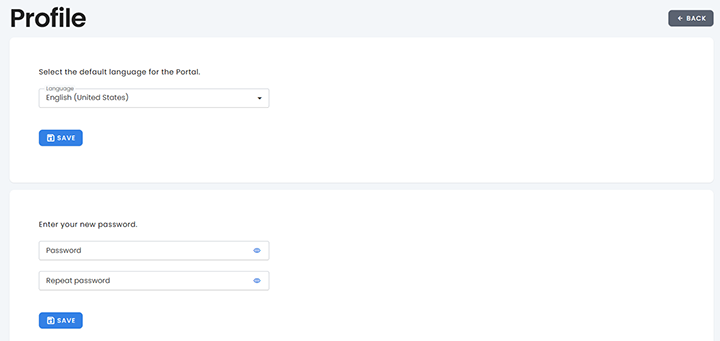
The user profile section enable each user to view and manage their personal account. You can change your interface language or update your password.
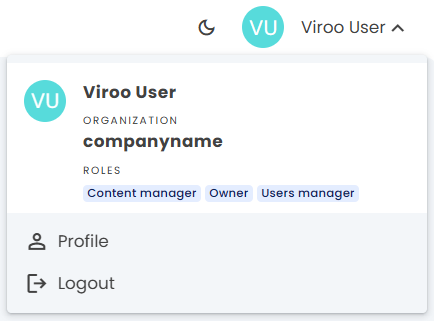
Access your profile
- Select your user icon in the top-right corner
- From the dropdown menu, select Profile
Change language
- Open the language dropdown
- Choose your preferred language (for example: English - United States)
- Select Save
This setting only applies to your own interface.
Change your password
- Go to the password section
- Enter your new password in both fields
- Select Save
Your new password will be used at the next login.
Return to dashboard
Select Back or use the left-hand menu to return to dashboard, apps, users, or resources.