Persistence
Persistence enables actions in a simulation to be restored when a user connects later, ensuring the simulation stays in the same state across all clients.
Important
VIROO provides tools to achieve this goal. The proper restoration of the simulation lies in the hands of the person who creates the content.
Persist type
Three types of persistence exist:
| Types of persistence | |
|---|---|
| Field | Description |
| None | No persistence will be saved. |
| Last | Only the last status or action will be saved and this is what will be restored. |
| All | All actions or all state changes of the object will be saved, depending on the case, and will be restored at once in the order in which they have been performed. |
Actions
By default, actions have the ability to have persistence. Just set the PersistType field to Last or All.
When restoring an Action, its assigned behaviors in the OnActionStarted and OnActionFinished callbacks will also be invoked. This should be considered when using these callbacks.
If the persistence is set to Last, the callbacks will only be called once. If persistence is set to All, they will be called as many times as the Action has been executed.
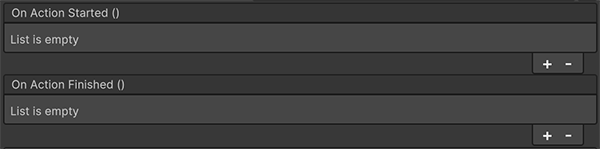
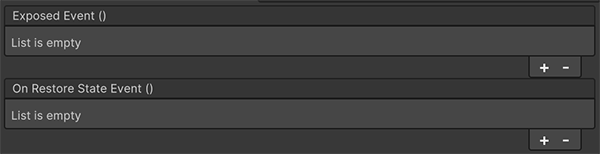
UnityEventAction has two callbacks: one for normal execution and another for state restoration. The OnRestoreStateEvent is called when users join a session where the Action has already been executed.
UnityEventNonBroadcastAction doesn't have persistence since its actions are executed only locally.
XR Interaction Toolkit Interactions
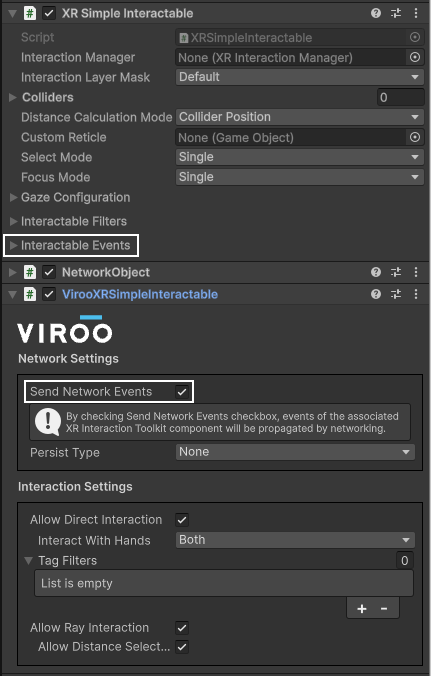
By default, interactions triggered by Unity's XR Interaction Toolkit are local. To synchronize them over the network, the corresponding VIROO component must be added.
For example, the XRSimpleInteractable needs the VirooXRSimpleInteractable. If this component is used to send the events over the network, these will have persistence just like the Actions.
If VIROO Actions are used in these events, they’re already network-synchronized. Calling the Action’s Execute method may trigger the interaction twice by both the Interaction and the Action, causing issues. In the case that the interaction is sent over the network, the LocalExecute method of the Action should be called.
Important
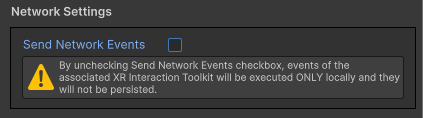
If the Execute method of an Action is called, the SendNetworkEvents option of the associated VIROO component must be deactivated. In this case, the Action will persist but the interaction won't, they would be sent twice and Execute methods would be called twice for remote users.